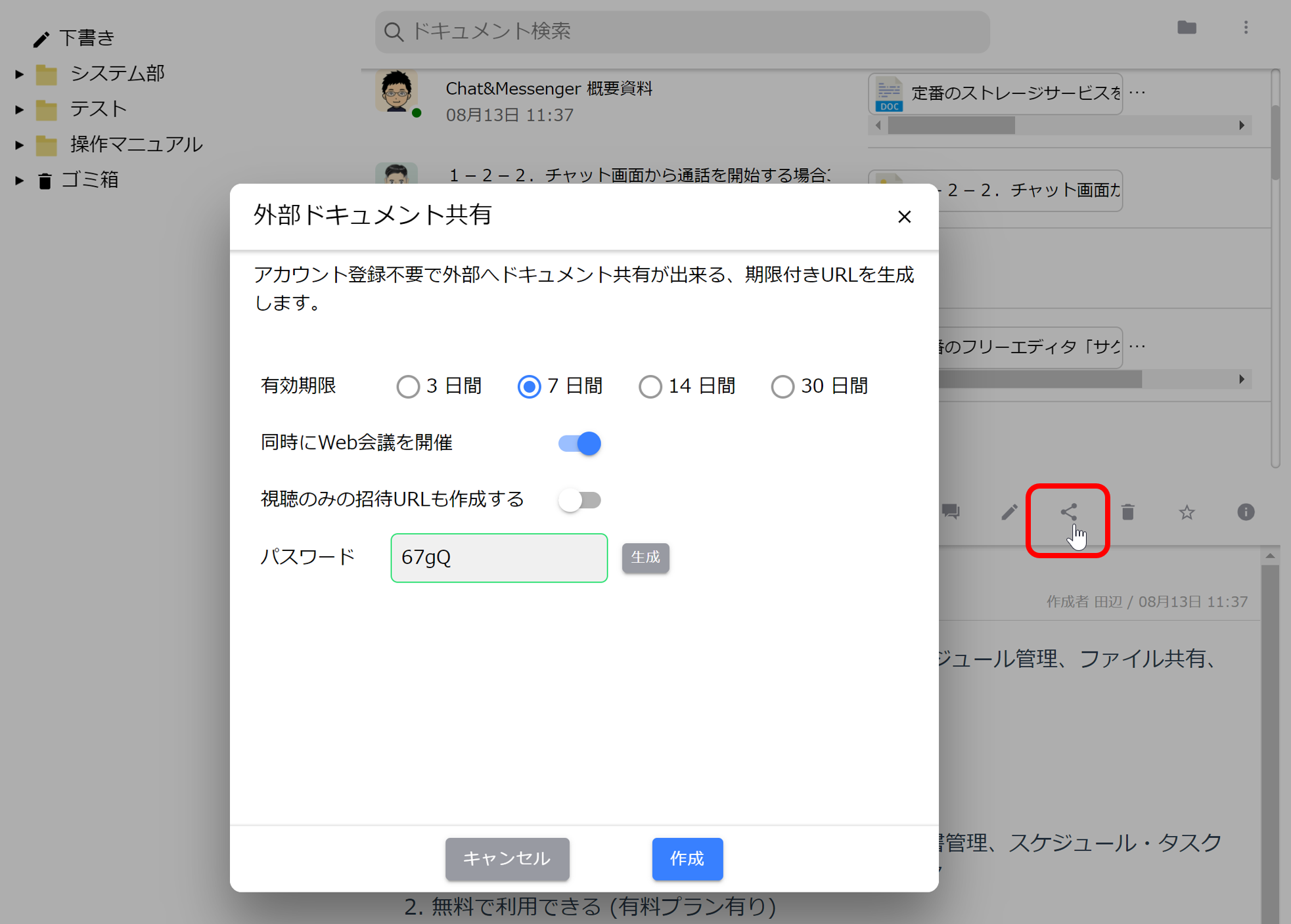









Document management and bulletin boards
Business ChatWhile the use of "chat rooms" facilitates communication, chatting all the information back and forth may cause important information to drift away.
Using the document management and bulletin board functions makes it easy to share internal knowledge (know-how) documents and files, facilitating the storage of information within teams. Registered documents are organized hierarchically into folders, and viewing can be controlled by group or user through the sharing settings.
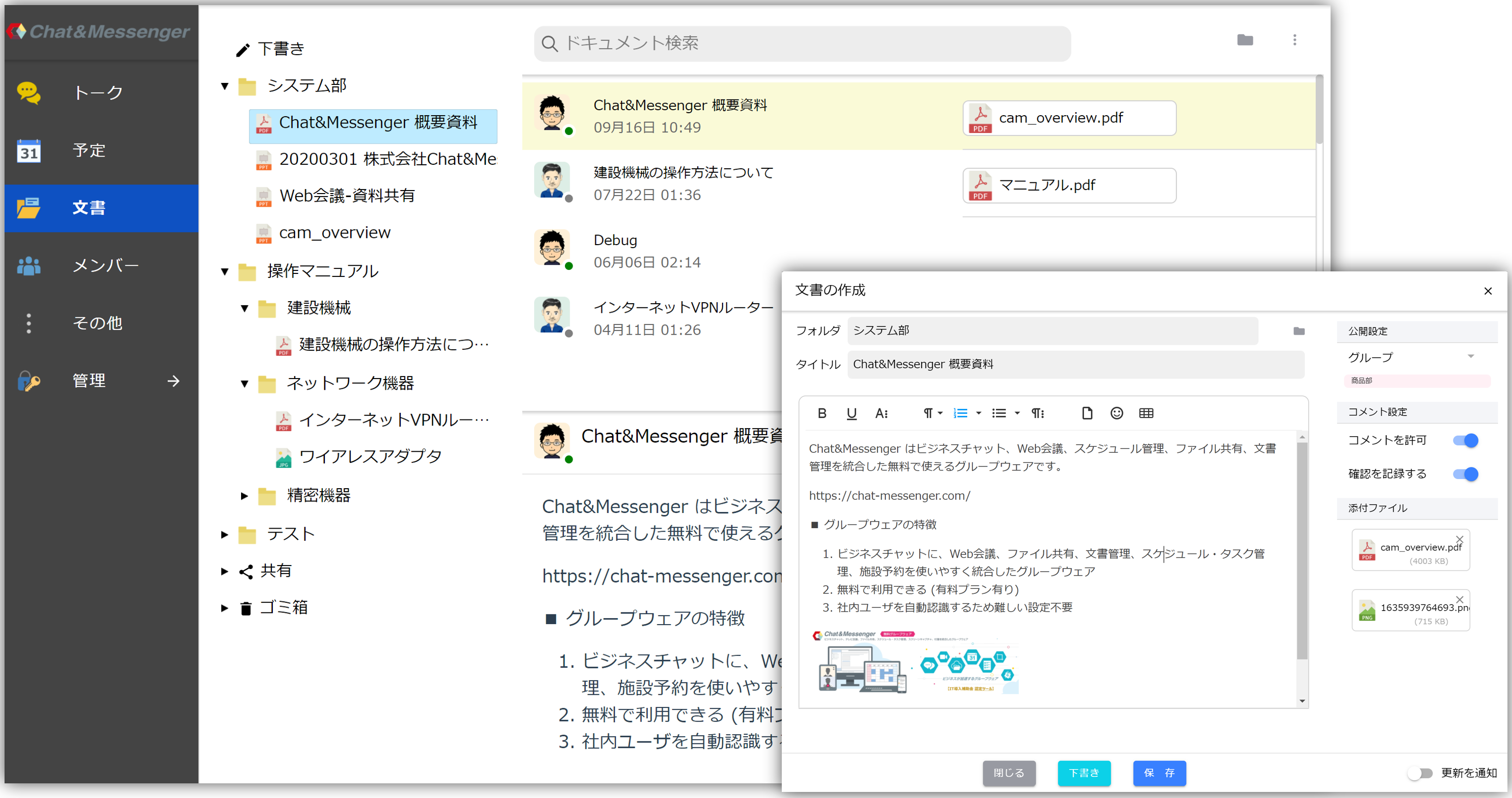
Document Submission
Below we will explain how to submit a document.
About Folders
- Folder names are organized in a tree on the Document Management tab in the left pane. If you wish to create sub-folders, please separate folder names with a single-byte slash /.
- The tree on the document management tab in the left pane is sorted by folder name and document update date and time.
- There is no operation to create folders only. Always in the document folder settings, the specified folders are automatically created and the tree is configured.
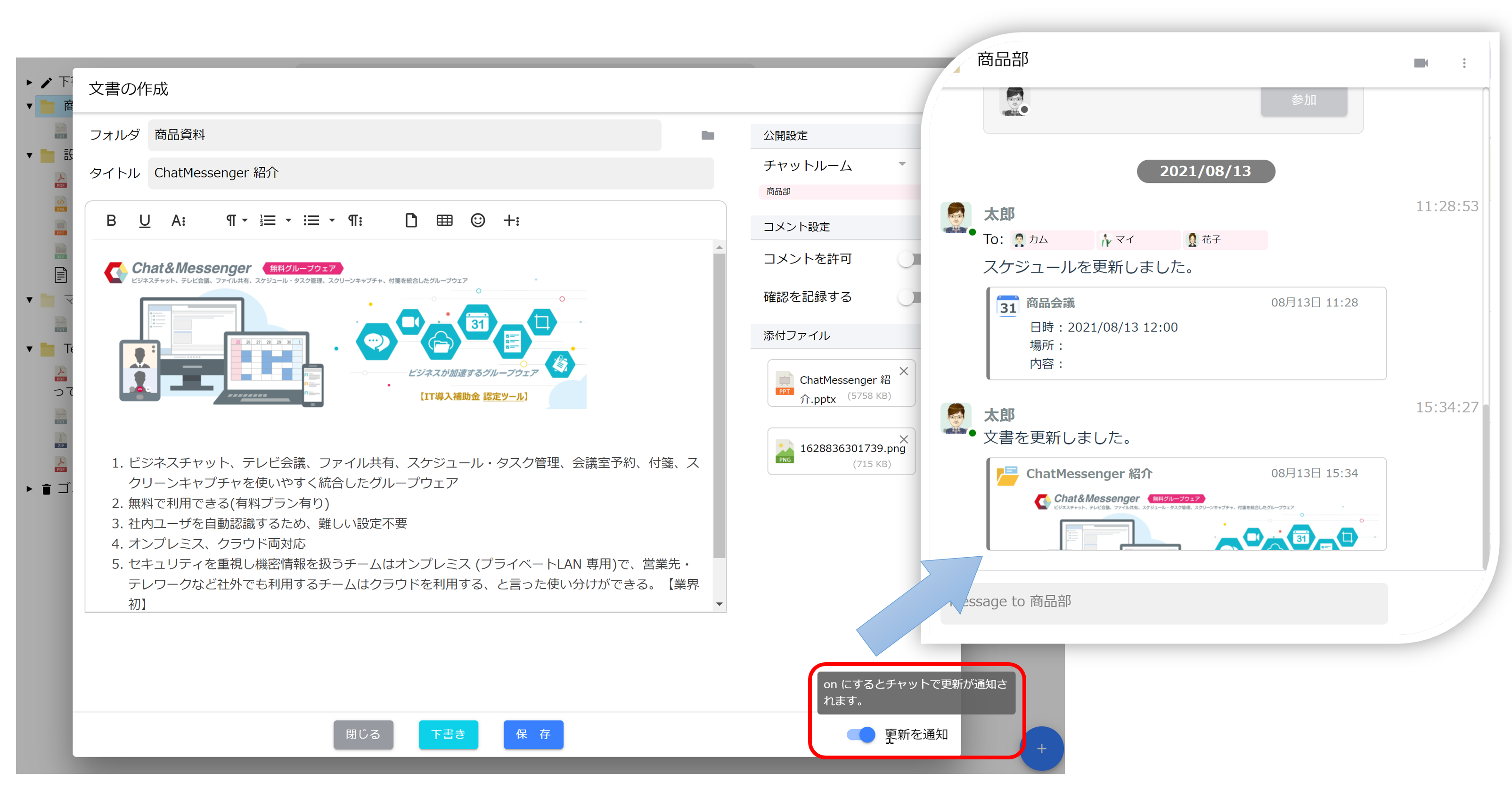
Notification settings
If you check the "Notify me of updates" checkbox, you will be notified via chat to the target talk in the public settings, allowing you to quickly view the document in the talk.
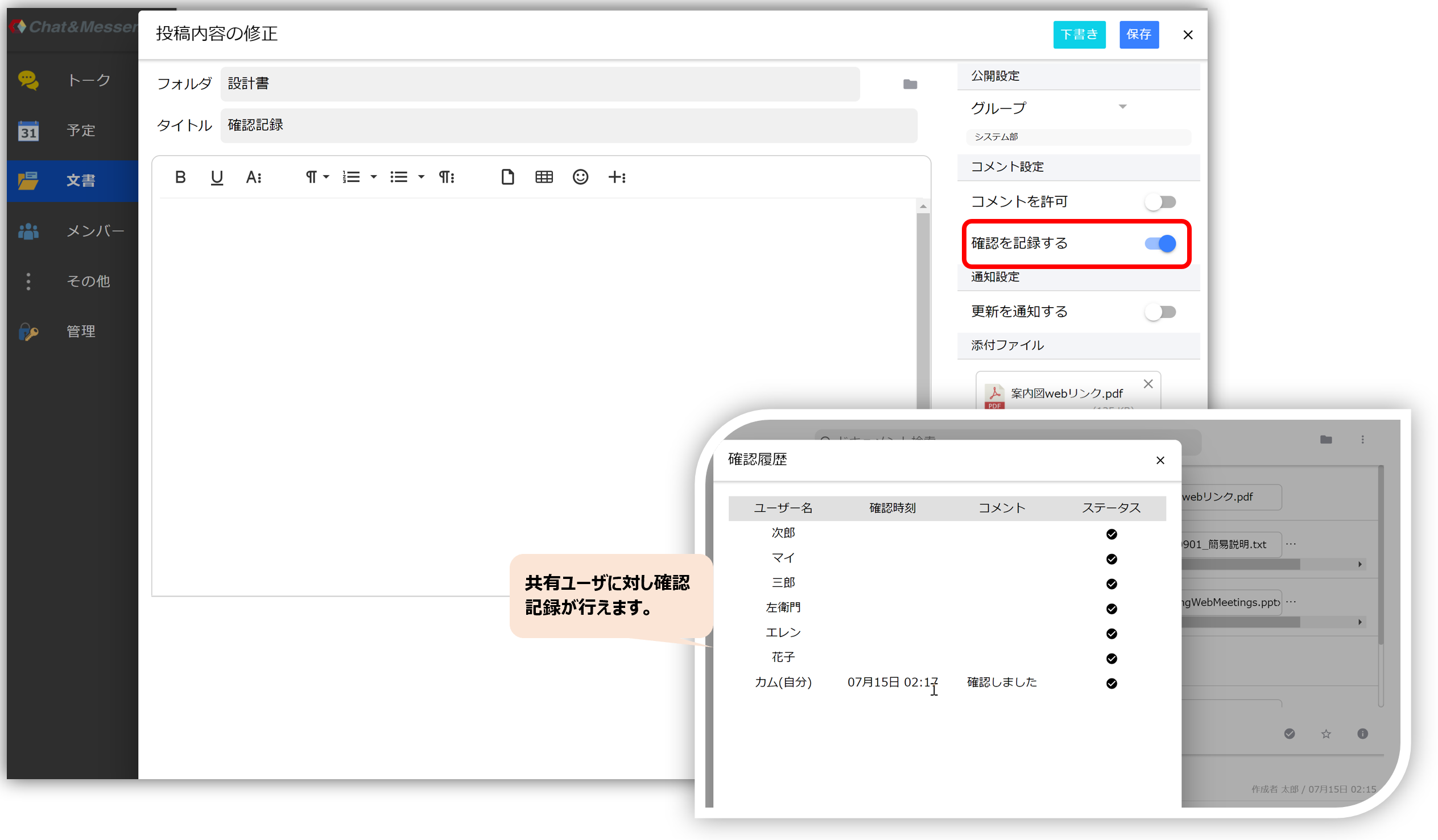
Documentation to record confirmation
If you check the "Record Confirmation" checkbox, you can record the viewer's confirmation comments.
Public settings and password settings
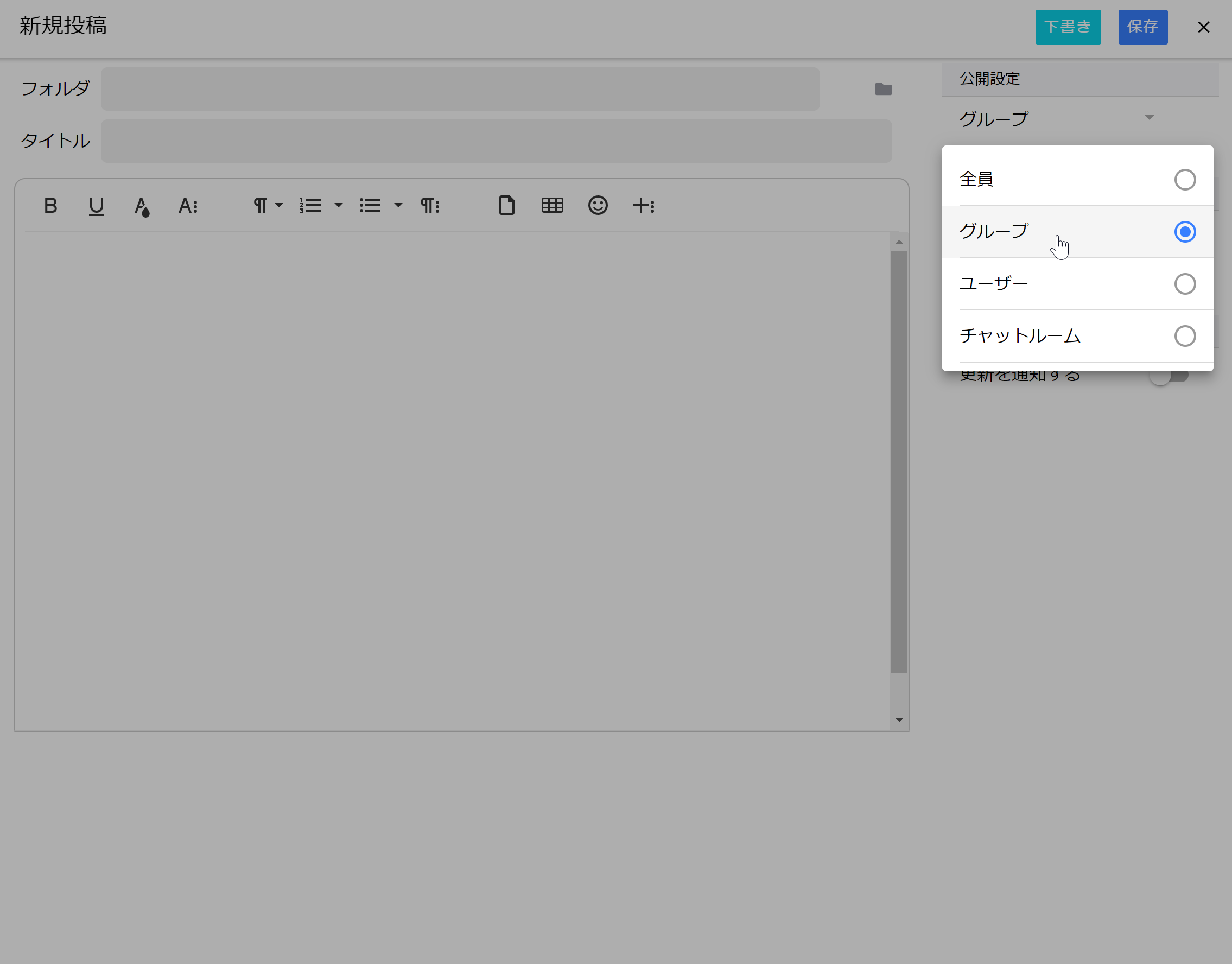
Access rights can be set in the public settings to control viewing by groups and users. Also, passwords can be set to increase security.
External Document Sharing
Documents can be shared externally without the need for the other party to register an account. Shared URLs can be set with an expiration date and password to increase security.