









License definition and costs
CAMServer is chargeable and the license definition is as follows
- One license allows CAMServer to be used on one operating system.
- The license includes the basic set of 20 users. Additional users can be purchased in increments of 10 users.
- The annual license price for the basic set 20 user version isEach planfor reference.
- The required number of licensed users is as follows:
- Standard (LAN model: Number of online users connecting to CAMServer
- Enterprise and above (Cloud model): Number of user accounts created
- Quick Web ConferenceIf you are only using the number of PCs connected to the web conference,
- In the first year, an initial fee of 20,000 yen will be charged to handle inquiries regarding installation and usage.
- For advanced support such as priority inquiry handling, web conferencing/telephone consultations, environment-dependent troubleshooting, and log analysis, a separate support contract is required.
- Software license agreementSee also
License Purchase Flow
The following three steps are required from the purchase of CAMServer to the placement of the license file.
Ordering
."License Purchase ApplicationPlease fill in the required information on the page to apply. After your application, we will send you a "Quotation (PDF version)" containing the bank account details for payment. Please transfer the payment to the designated account. Once the transfer is complete and we have confirmed it, we will send you the license file by email.
2. registration of license key
The following license keys can be registered while CAMServer is running.
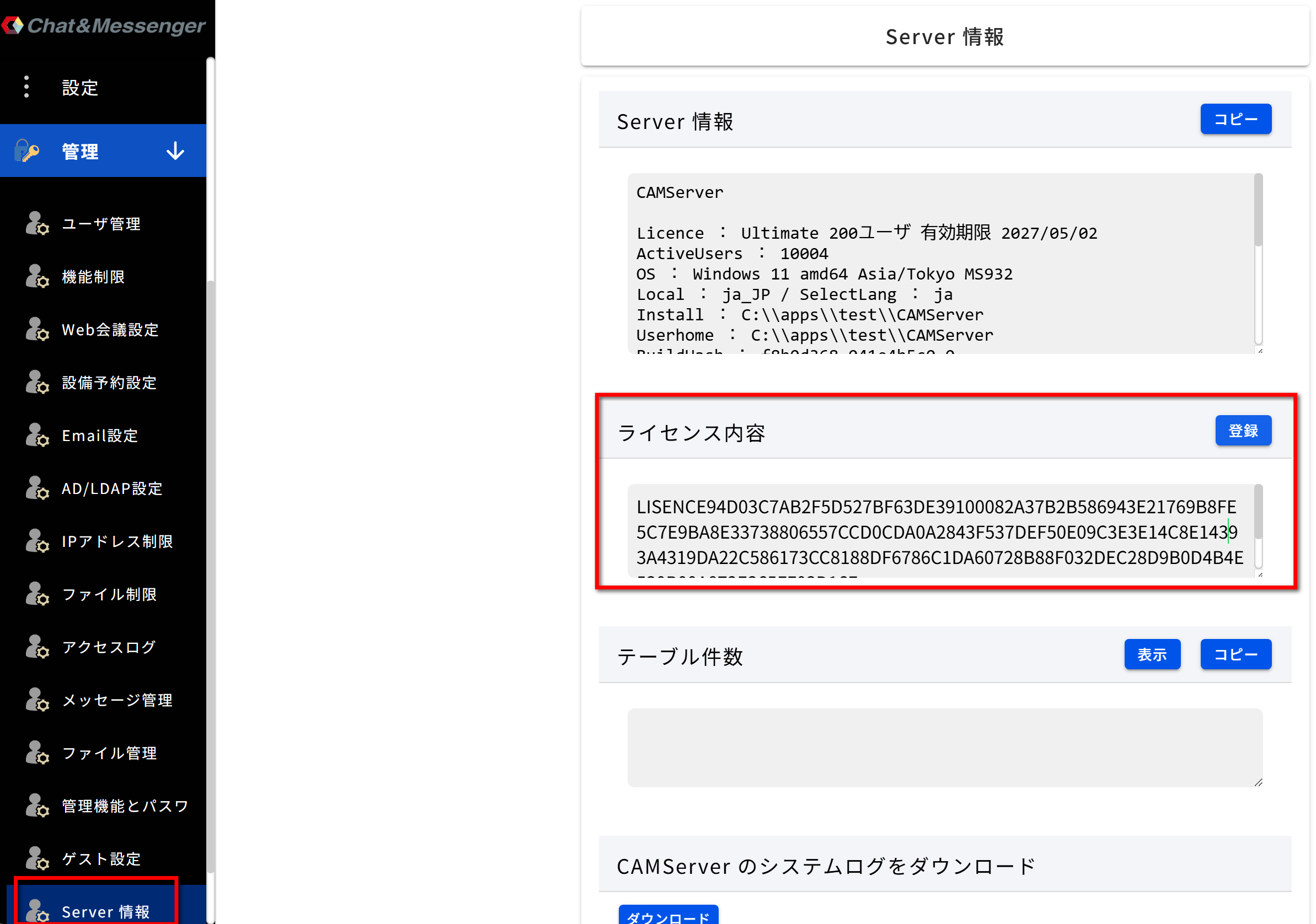
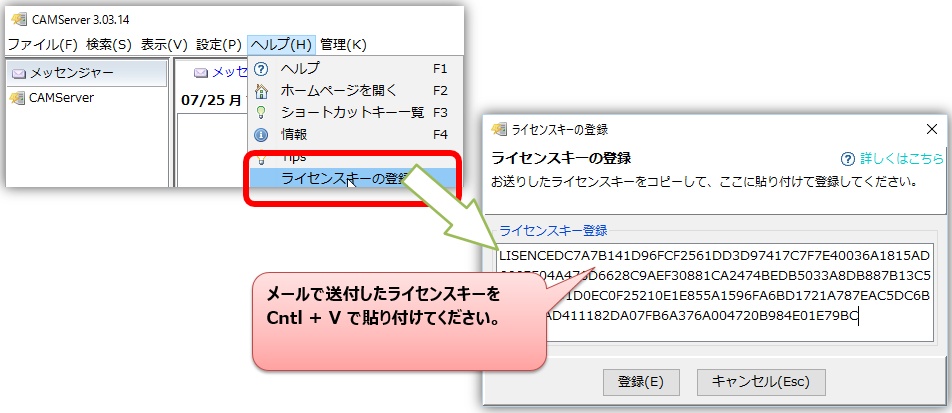
- Note: If the email contains line breaks due to your email software, remove them and paste the entire message on a single line.
- To enable all functions, please restart CAMServer after registering the license key.
- Once registration is complete, a licence.cam file will be generated directly under the CAMServer folder.
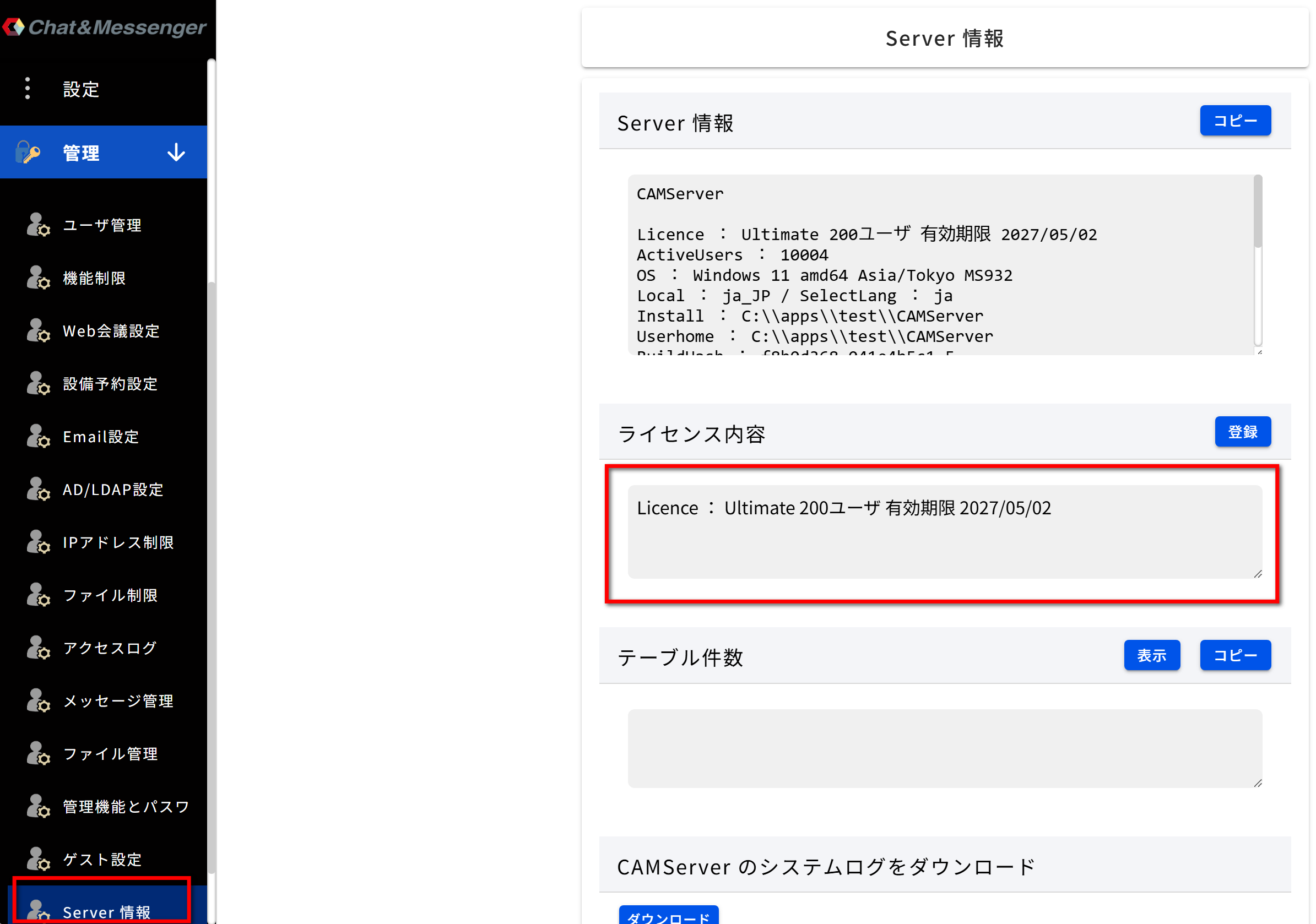
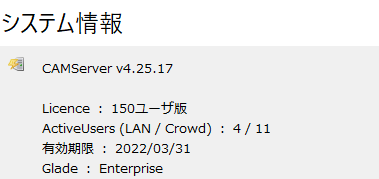
Check License Information
License information can be found in Help => Information as follows
Request for on-site explanation and setup work for installation.
Although on-site support fees are required, we will provide on-site explanations and set-up work associated with implementation.
if necessaryContact UsPlease contact us from the "Contact Us" page.
Notation based on the Act on Specified Commercial Transactions
Notation based on the Act on Specified Commercial Transactions