









Internal AI that integrates with business chat
This AI is designed for businesses, prioritizing learning from and referencing various data accumulated within the company to provide evidence-based answers to user questions. Furthermore, if internal data is unavailable for a given question, it can provide answers based on general knowledge, similar to ChatGPT and Gemini.
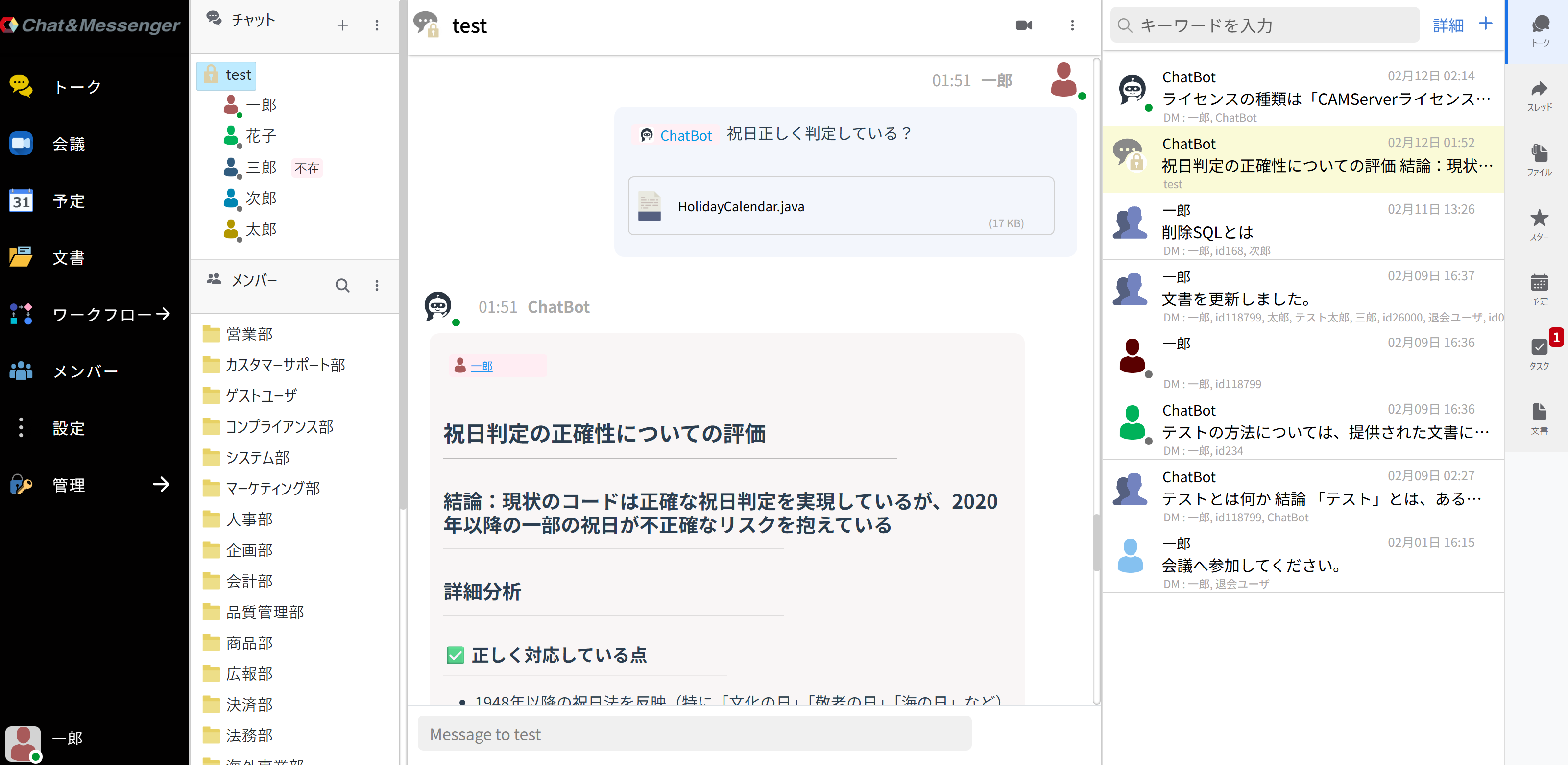
By integrating with Chat&Messenger's business chat, you can intuitively utilize AI in your daily communication without having to be aware of any special operations.
This feature is available from the Ultimate plan onwards, for both cloud and on-premises deployments.
Main features
An AI assistant that learns from internal company data and answers questions.
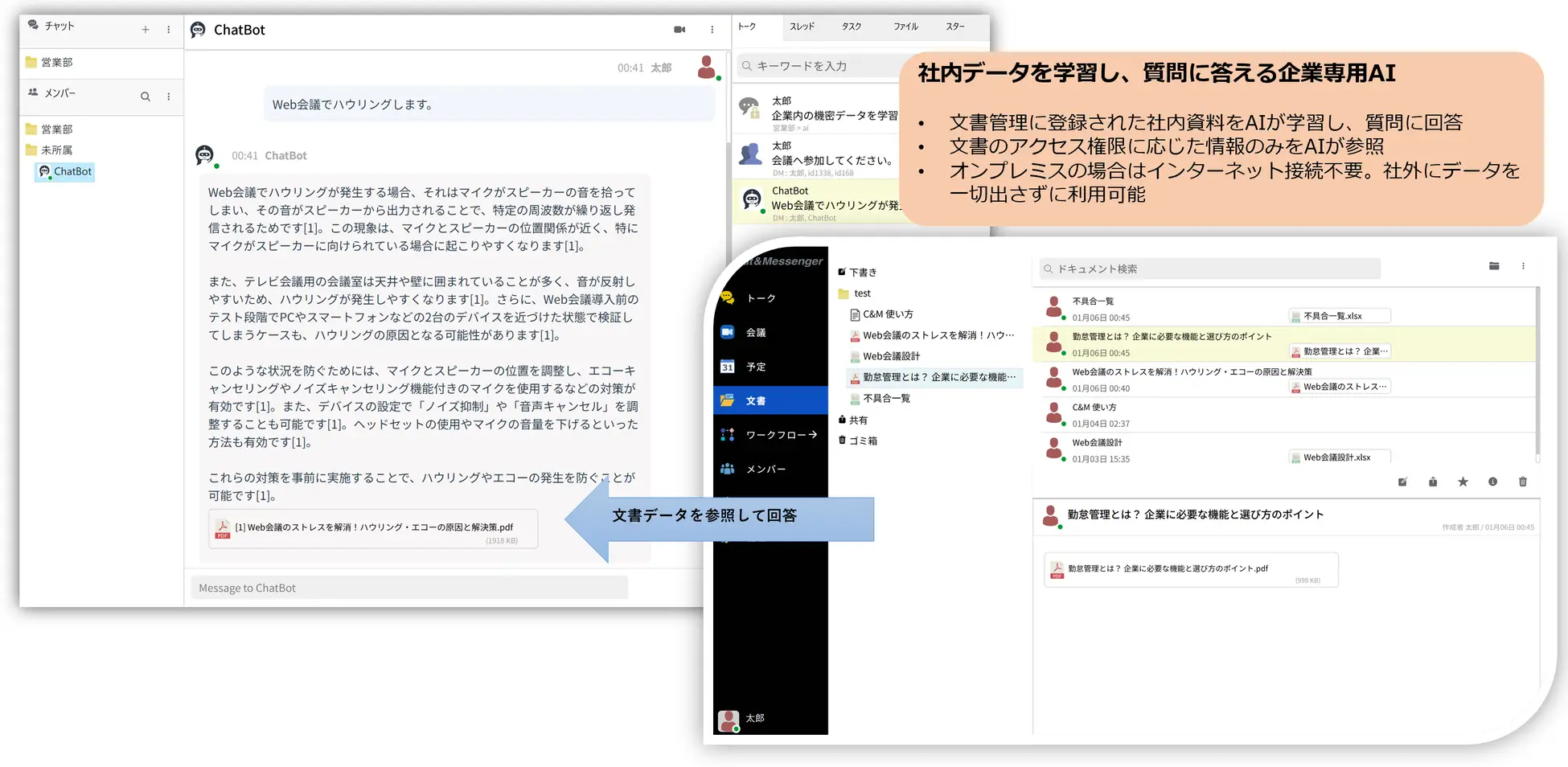
Simply send a direct message or mention a chatbot on the business chat platform to ask a question, and it will search internal company data and provide an answer within the room.
Simply register files or URLs in the document management section of Chat&Messenger, or set up a specified shared folder, and the AI will learn and answer your questions.
Documents support company-wide, group, chat room, and individual user access permissions, and the AI only accesses information corresponding to the user's permissions.
Especially in on-premises environments, internal data, including confidential information, can be managed securely in accordance with the company's security policies.
AI automatically creates meeting minutes for web conferences.
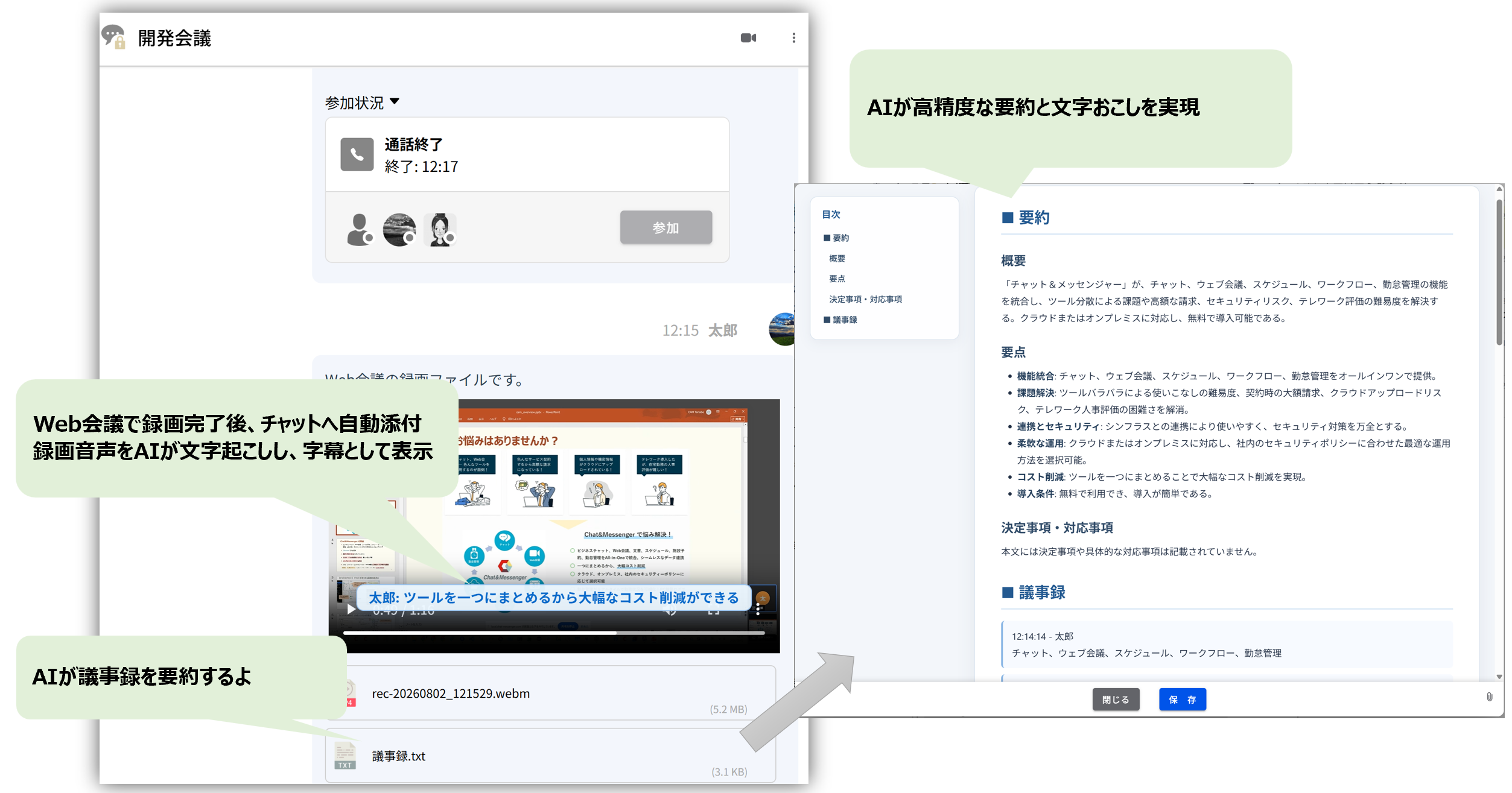
This service automatically generates transcripts and meeting minutes from recorded audio of web conferences.
In an on-premises environment, audio data can be securely transcribed without being sent outside the company.The following is a list of the most common problems with the
Recordings can be shared and played back immediately via chat after completion, supporting large-capacity and long-duration meetings.
AI automatically generates and proofreads text before it is posted to the chat.
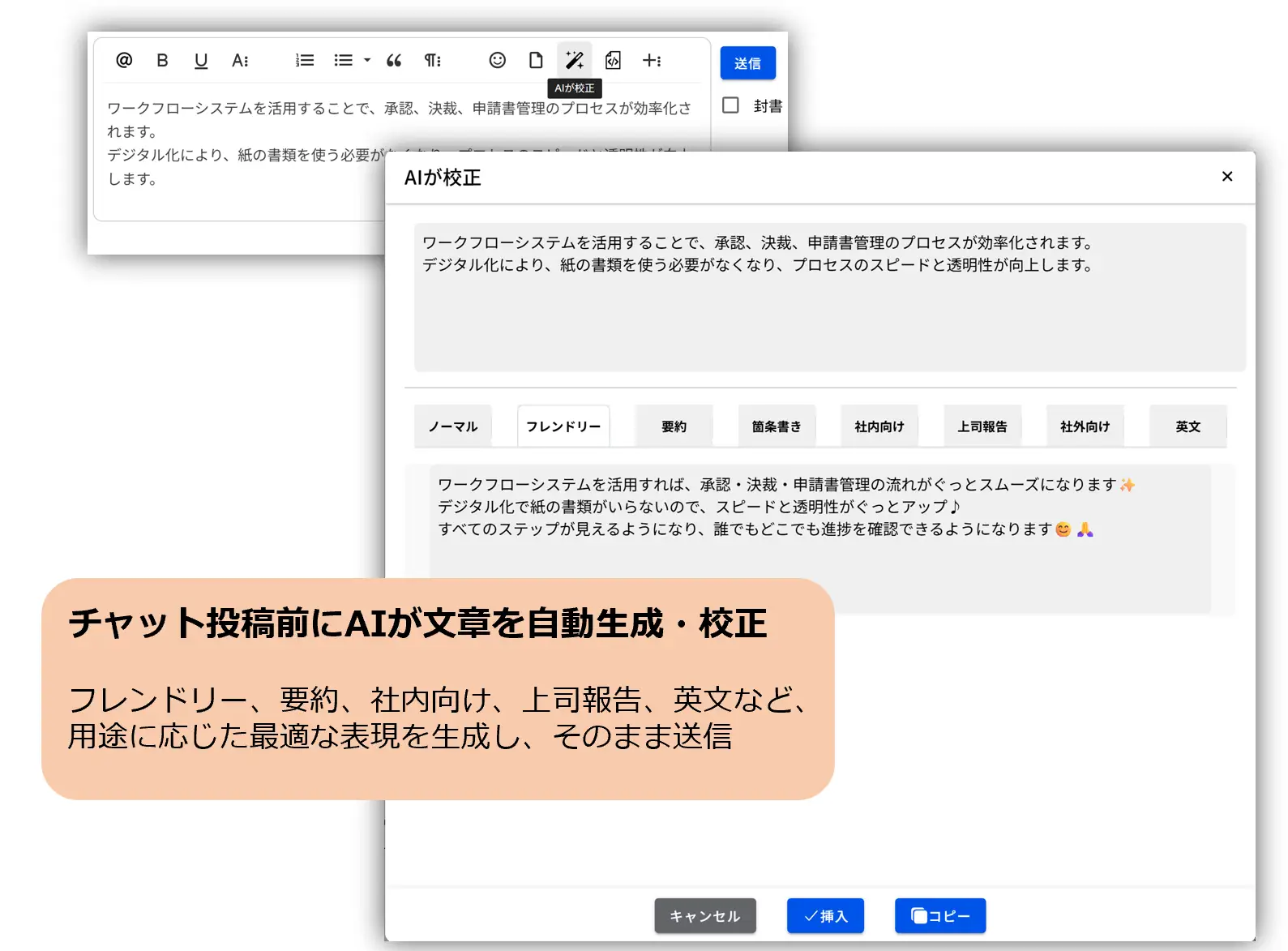
Based on the user's input, the AI generates and proofreads the text.The AI presents multiple expressions depending on the purpose, such as friendly, summarized, internal, report for superiors/managers, and in English.You can send the selected text as is.
This reduces the time spent worrying about "how to write" and allows you to convey your message clearly to your audience.
AI code review for analyzing internal source code
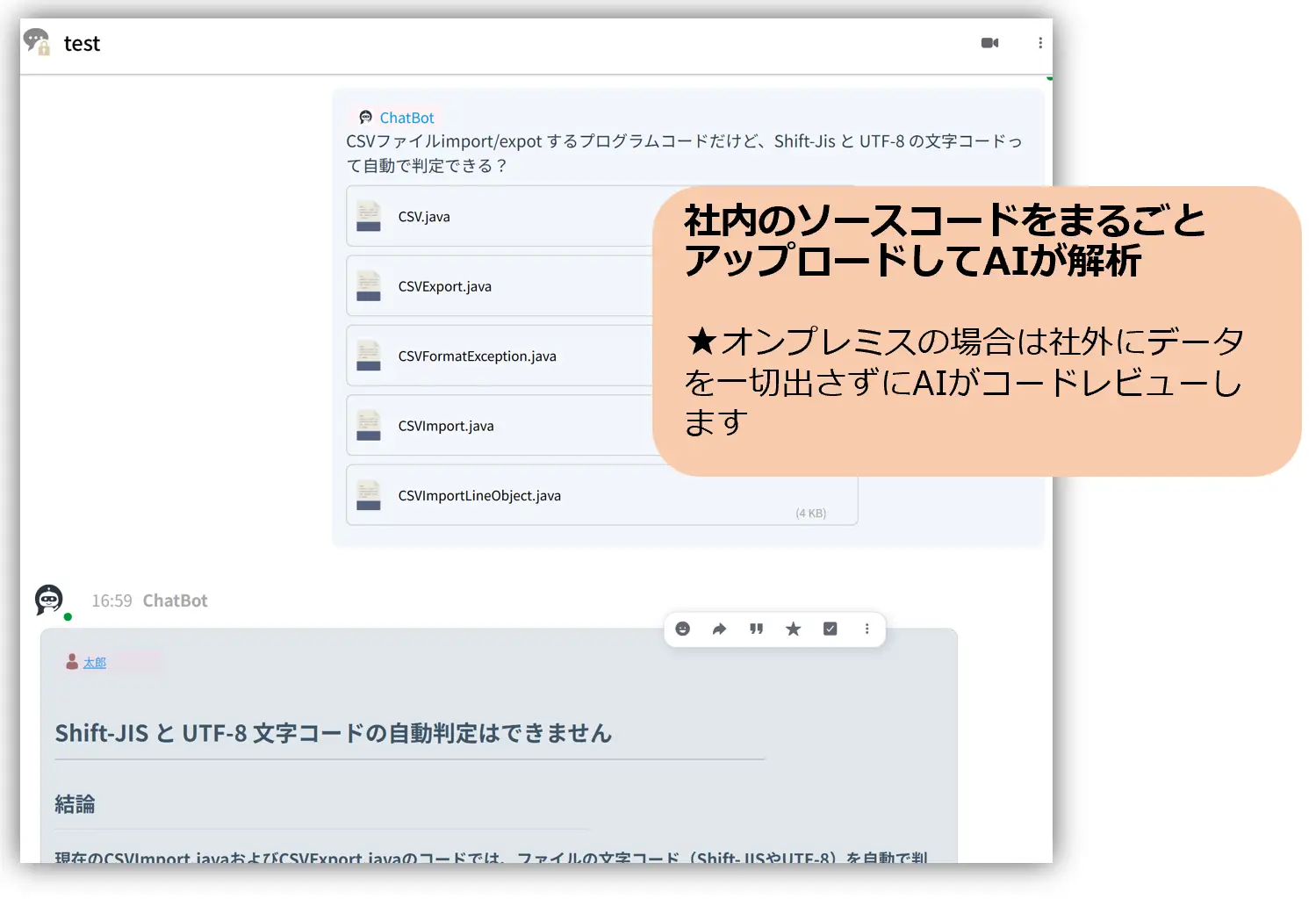
Internal program source code can be uploaded in bulk, and AI will analyze and understand the content before responding to questions and providing reviews.
In an on-premises environment, AI-powered code reviews and content verification can be performed securely within the company without ever sending any data outside the organization.
AI summary that summarizes threads
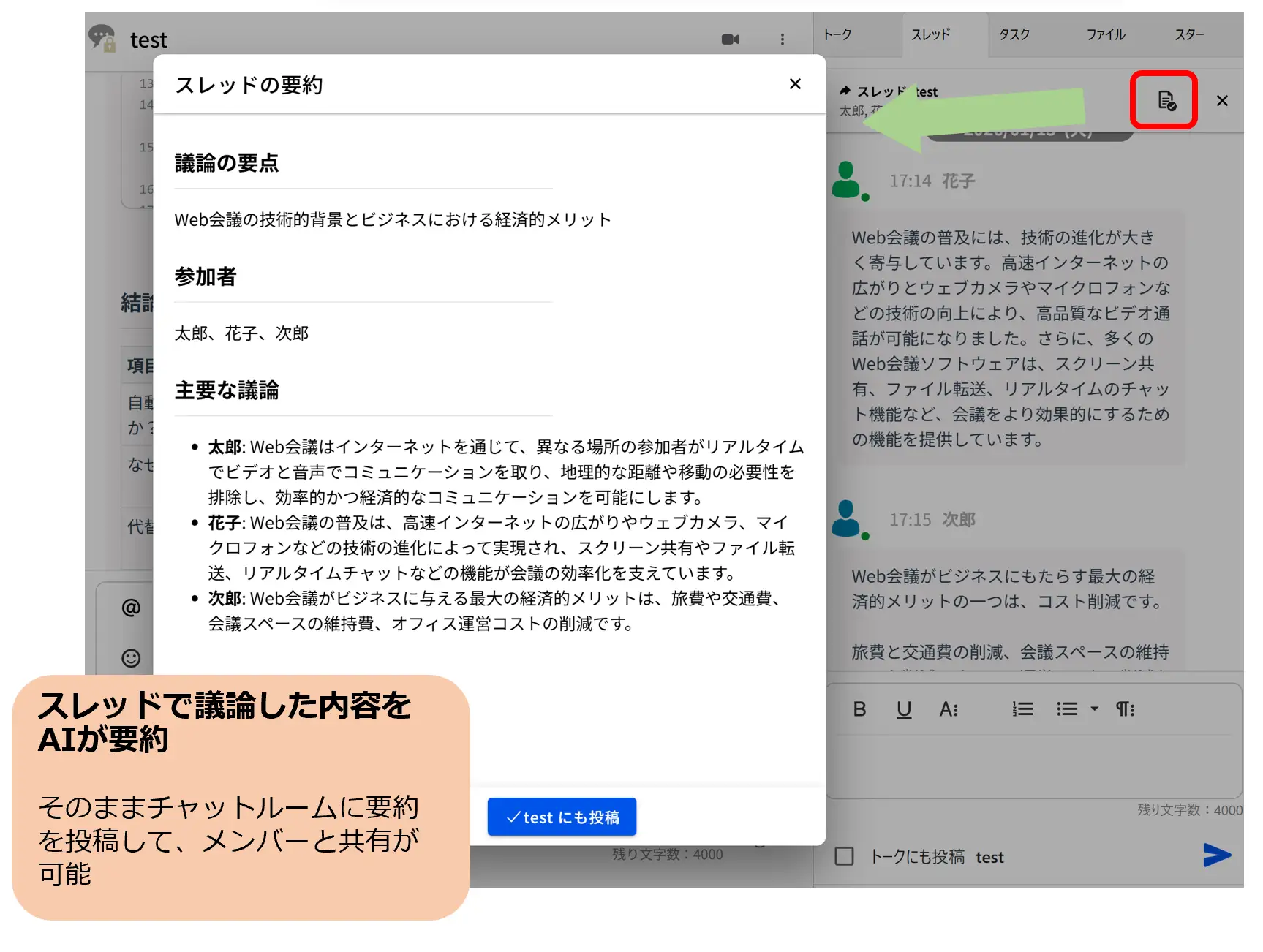
The AI can summarize the discussion that took place within the chat thread and post it directly to the chat room for sharing with members.
It allows you to quickly grasp the key points of a long conversation and is also useful for members who join later and for information sharing.
On-premises use
In an on-premises environment, a key feature is that information that is difficult to upload to cloud AI, such as internal documents, contracts, regulations, operational manuals, and design materials, can be utilized by AI without transferring data outside the company. Because it does not require an internet connection, AI can be implemented without compromising a company's security policies or governance.
Many companies have a large amount of important information within their organization, such as contracts, regulations, operational manuals, and historical documents. However, this information is scattered across folders and systems, leading to the following challenges:
- I don't know where to find the information I need.
- It takes time to find past documents.
- Knowledge that only veteran employees possess is becoming entrenched in the hands of individual employees.
On the other hand, while the use of generative AI is attracting attention, many companies are hesitant to adopt AI due to concerns about "entrusting confidential information to cloud AI" and "consistency with information management policies."
In recent years, interest in on-premise AI, which allows data to be used without sharing it outside the company, has been growing, particularly in the financial, manufacturing, and public sectors. The ability to securely utilize internal documents, contracts, and business data is being highly valued, and an increasing number of companies are considering AI applications that prioritize information leakage risks and governance.
Against this backdrop, Chat&Messenger developed an on-premise AI knowledge platform that can be used entirely within a company.
Effects of implementation
- Significant reduction in the time required for information retrieval.
- Sharing and passing on knowledge and know-how that was previously tied to specific individuals.
- Streamlining the handling of inquiries from new employees and those who have transferred to other departments.
- Using AI while protecting confidential information
Use in an on-premises environment
operating environment
For on-premises environments, the required specifications for Windows, Mac, and Linux operating systems are as follows:
CPU: 10 cores or more
Memory: 16GB or more
Disk: SSD 512GB or larger
GPU (Recommended): 4GB or more of VRAM. *If using the 2GB model, it can also run on the CPU.
Activation method
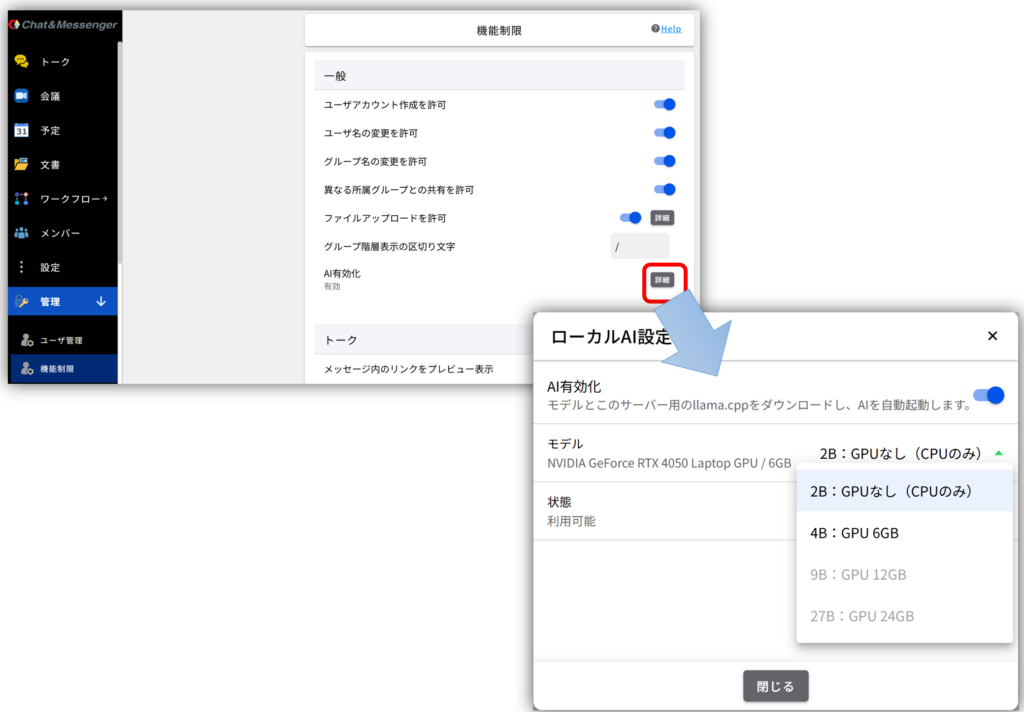
Go to Administration → Restrictions → General → Enable AI, then click Details and select the desired model.
Depending on your GPU configuration, you can select an available model. The model will be activated once the download is complete.